Best IDE for Developers: Local-First Fleet Orchestration
Discover the best IDE for developers using CLI coding agents. Compare features, local-first architecture, and multi-agent orchestration with AuricIDE.
When does one agent become an operations problem?
One agent becomes an operations problem when the developer becomes the message bus between several sessions.
Friday, 4:47 p.m. Three agent terminals are open. One drafted a patch. Another found a failing test. A third needs the useful part of that test output, but the terminal also contains spinners, prompts, and screen redraws. The first paste is noisy. The second loses the ticket constraint. Meanwhile, one agent is waiting for permission behind another window, and nobody knows which session deserves attention first.
The code may be fine. The handoff is failing.
This changes the IDE question. Editing, debugging, and shell access still matter, but agent-heavy work adds an operations layer that a feature grid does not show. The best IDE for developers in that setting is the layer that keeps local runs ordered, makes blocked work visible, and removes repeated handoffs from the developer.
A useful way to read this problem is through the lens of developer productivity tools. The lost time sits between tools: finding the right terminal, cleaning its output, rebuilding the prompt, and checking whether another session changed the project directory. Setup pain ends. Coordination returns with each handoff.
Practical rule: When a workflow needs repeated paste cleanup, orchestration has become part of the development environment.
A single agent can hide that need. Several cannot. They can edit the same files, reason from different snapshots, or pause on separate questions. More terminal panes add visibility. They do not add order.
What does AuricIDE do when several agents are running?
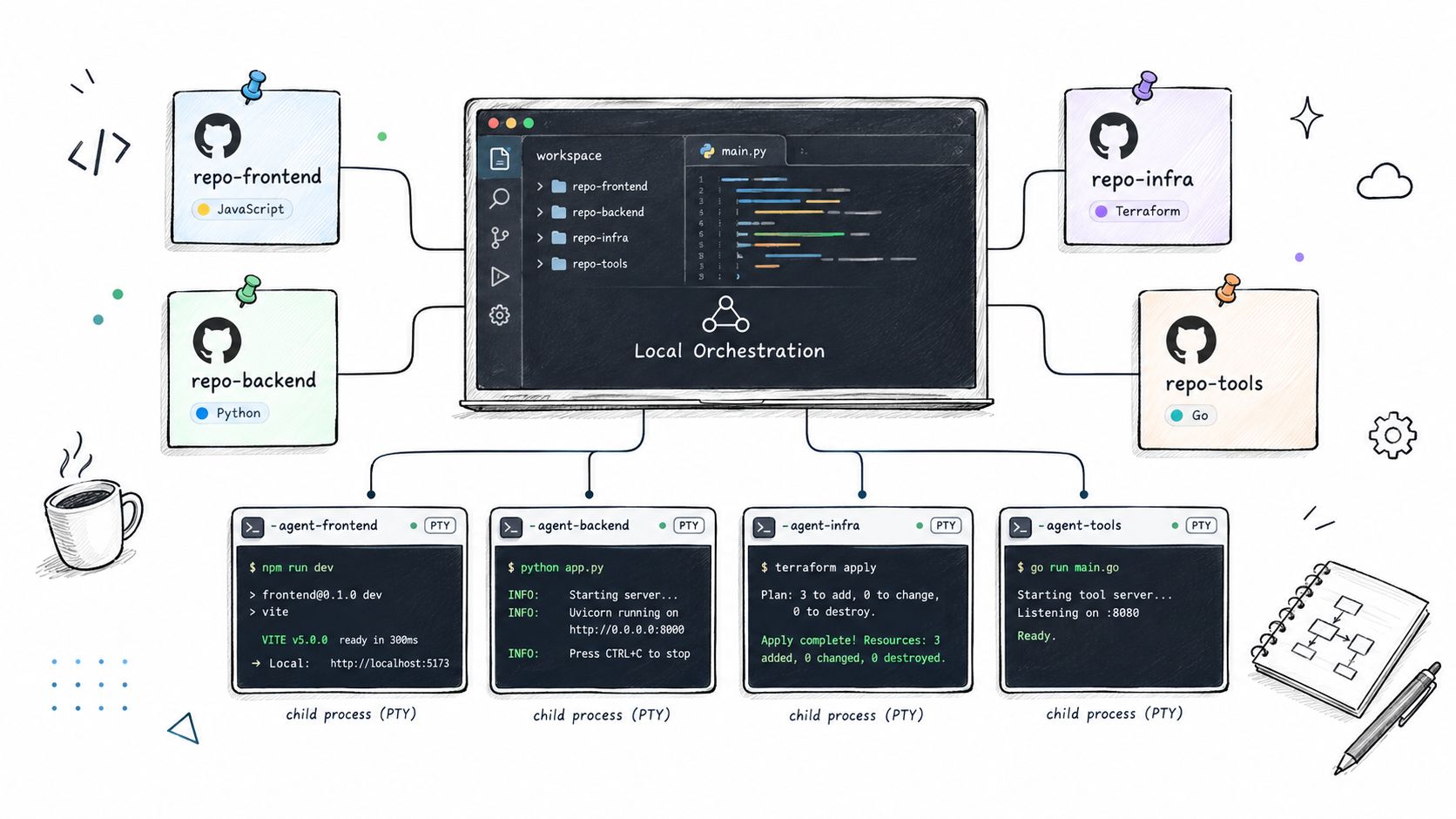
AuricIDE gives each local agent a separate process, then presents the fleet as one workspace with one attention queue.
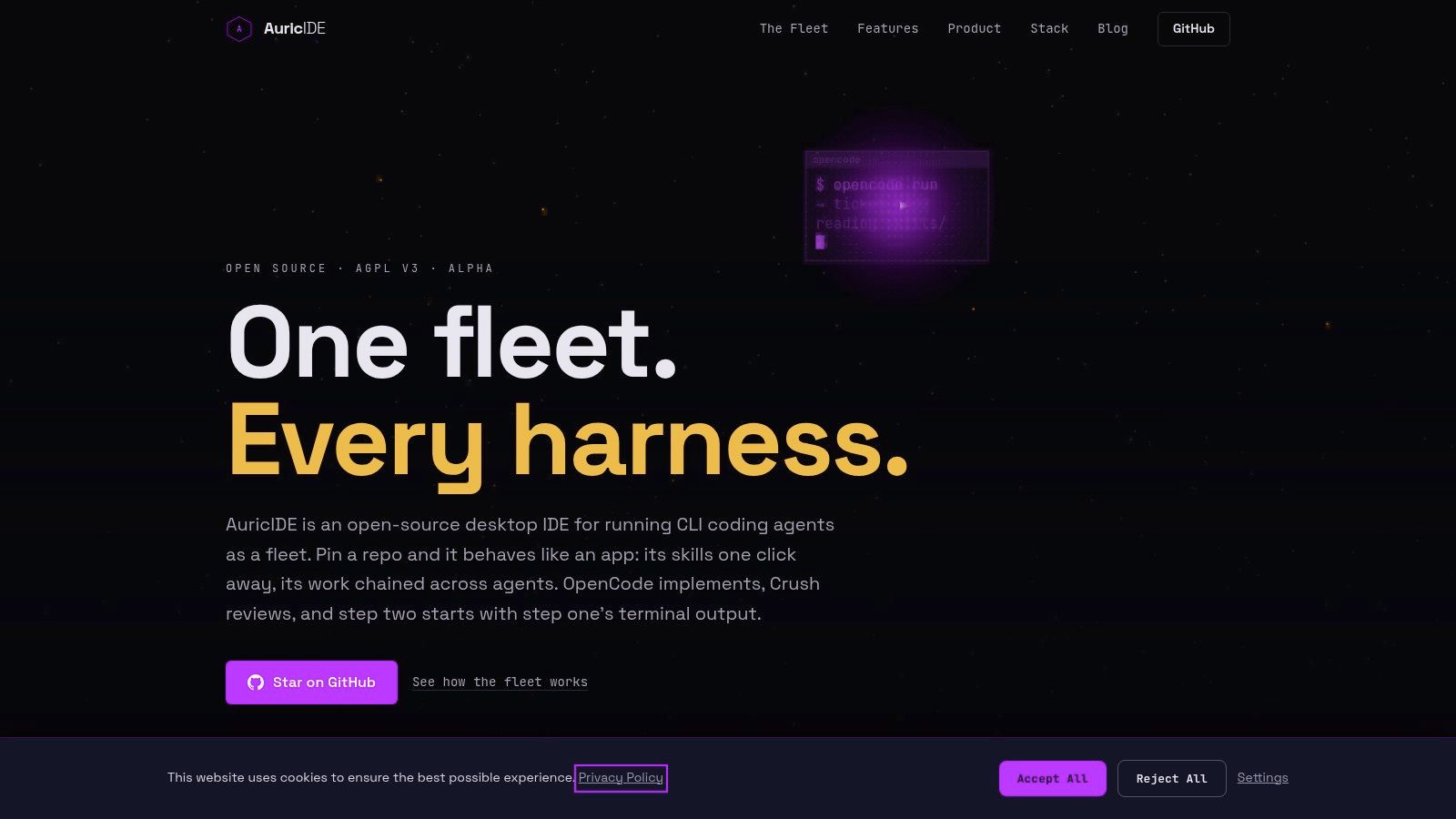
The home screen shows projects as tiles. Opening one reveals its workspace and agent controls. Each agent runs as a local PTY child process, so one crash does not take the other agents with it. When a process ends, its exit status reports success or failure. That is the boundary AuricIDE trusts.
External CLIs enter through Settings -> Agent. A user imports one JSON config per CLI. AuricIDE validates it and registers the provider at once. The CLI then appears in the available provider choices. No rebuild is required. The industry calls a CLI wrapper a harness. AuricIDE calls this runtime registration a dynamic provider, while the desktop app acts as a meta-harness across providers.
Skills and launch presets stay separate. AuricIDE finds discovered skills by scanning configured locations. A launch preset carries the provider, model, and permission mode used for a run. That split matters because the same instruction can be launched with a different agent setup without pretending the scan supplied those choices.
Chains, also called combos, handle repeatable multi-step work. Each chain contains ordered skills. Every step has its own agent, model, permission mode, and prompt. Starting a chain launches step one. Success starts the next step. Failure ends the chain. There is no fan-out.
The handoff is narrow by design. A new step receives its own prompt, followed by a cleaned tail from the previous step's terminal output. AuricIDE strips ANSI codes, filters interface chrome, removes consecutive repeats, and caps the tail at 2000 characters. The next agent gets a lead, not a perfect record. It should still inspect the working tree.
A good walkthrough of the product category sits in this agentic IDE article.
The fleet view answers a different question: who needs a human now? One attention rule ranks error first, then blocked on input, then stalled. The header shows a single count. The list follows that order. If nothing needs attention, it says “all quiet.” Running agents that need nothing stay out of the way.
A failure stays in the queue until its outcome is reviewed. Review clears its claim on attention. Active blocks keep theirs. The count therefore represents work that still needs a decision, rather than every agent that has produced output.
That sequence is the product. Pick a project. Choose a skill or chain. Start the run. Watch the attention count instead of every terminal. Open the agent at the top, answer or inspect, then return to the queue.
What does local orchestration cost?
Local orchestration costs setup time, shared portability, parallel chain steps, and some scaling headroom.
Provider configs must be correct. Skills need useful prompts. Launch presets need deliberate permissions. A strict chain stops when a step fails, even when a later step could have done unrelated work. Strict sequencing also rules out fan-out. The 2000-character handoff can omit an early clue from a long session.
Project state has a hard boundary. AuricIDE stores it in <project>/.auric/project.db inside the project directory. By default, .auric/.gitignore contains *, so Git ignores that file. A clone brings no work record with it. Sharing the database needs a separate, deliberate action.
That choice keeps agent work local. It also limits coordination. The project database uses SQLite, and auric-pm accesses it through better-sqlite3, so the scaling constraint is the single writer. Networking and CPU are not the stated limit.
The MCP connection is local too. auric-pm uses stdio transport. It has no port, listening socket, daemon, authentication layer, or health endpoint. AuricIDE merges its entry into .mcp.json; it never overwrites the file. Invalid JSON causes a refusal. Diagnostics go to stderr with an [auric-pm] prefix because stdout carries the protocol.
The application is an open-source desktop IDE under the GNU AGPL v3. That license matters for teams exposing modified network services, because the AGPL v3 terms require remote users to get an opportunity to receive the Corresponding Source at no charge.
One market estimate adds context. Mordor Intelligence puts the software development tools market at USD 6.41 billion in 2025 and USD 7.44 billion in 2026. Its report projects USD 15.72 billion by 2031 at a 16.12% CAGR, with IDEs holding a 42.10% revenue share in 2025. That figure measures market size. It cannot settle a workflow decision.
Small projects may not repay the setup. A couple of short, independent agent runs remain easy to manage in separate terminals. AuricIDE earns its place when ordered handoffs, mixed CLIs, and unattended runs create enough coordination work to justify another layer.
What still matters in any agent setup?
The durable lesson is that agent-heavy development needs an explicit orchestration contract, even when AuricIDE is not part of the stack.
That contract should answer four concrete questions. How does one step pass useful evidence to the next? What stops later work after a failed premise? Where can a developer see blocked sessions without polling every terminal? Which state stays local, and which state must be shared by another route?
The answers expose real trade-offs. Full transcripts preserve more detail but consume prompt space. Summaries save space but can drop evidence. Sequential chains are easier to reason about but cannot fan out. A shared database improves continuity on one machine while adding a transfer step for another machine.
For teams working through repeated agent tasks, this AI coding workflow guide is the relevant mental model: standardize the handoff, not just the prompt.
A fleet needs failure boundaries too. Separate local processes contain crashes. Exit status gives each run a clear outcome. An attention order tells the developer what to inspect first. Those rules still hold in a shell script, a task runner, or another IDE.
The editor remains important. The orchestration layer now decides whether several capable agents form a workflow or a row of terminals that still depends on manual repair.
AuricIDE keeps CLI agents, ordered handoffs, and project state on the machine, with the SQLite file inside the project directory. Visit AuricIDE to see how that workflow is structured.