Automated Code Review Tools and What They Actually Check
Automated code review tools can speed up feedback or slow down merges. Learn what they actually catch, where they fail, and how to wire one into an agent
A Fast Approval Can Miss the Change
An agent finishes a billing change. The ticket turns green. The log looks clean. A reviewer approves it in seconds. Yet the patch dropped the discount calculation on line 42. Nobody opened the diff.
That approval checked the story around the change, not the change itself. The distinction matters once several agents are finishing tickets while one person watches the board. Speed can hide a missing input. A polished reason can hide it too.
Practical rule: a review that never opens the artifact is reviewing prose, not code.
The easy fix is a smarter model. Swap in a stronger reviewer, the thinking goes, and it will eventually catch the discount bug on its own. That assumes intelligence is the missing part. It isn't: a judge that only reads the ticket description approves the story, not the code, no matter how capable the model behind it is. What decides the outcome is what the reviewer is allowed to see, and what its verdict is allowed to change.
That is not a new insight. Code inspection was formalized by Michael Fagan at IBM in 1976, and later summaries noted that it could take up to 3% of total project effort as a structured quality gate, which is why automation started as a search for narrow efficiency gains, not a quest to erase review entirely (historical review baseline). Review was expensive before any agent wrote a line of code, and skipping it was already the corner most likely to get cut.
The broader literature points to the same split. A 2025 review on automating code review separates choosing the right reviewers from recommending improvements to the contributor, which is a useful reminder that review is routing and feedback, not just model quality (review automation survey). AuricIDE turns that split into a visible workflow: decide what the reviewer can inspect, then decide what a pass or rejection does to the ticket.
What does Judge review actually see?
Judge review sees either ticket criteria or the code changes, depending on the form selected.
The option sits in the Conductor's settings. It is off by default. Its tooltip reads, "Finished tickets pass an independent judge before counting as done." Enabling it requires a judge model or an agent CLI added through a provider config.
The judge receives the ticket name and description. It also receives the goal's success criteria and the ticket's test cases, which serve as acceptance criteria. The instruction is skeptical by design. The judge should pass only when those criteria are credibly met.
A via dropdown selects the form. LLM call makes one model call. It returns pass or fail with a reason. It sees the ticket text and criteria. It does not see the diff. Choosing that form is like asking a building inspector to approve a renovation from the work order without entering the room.
That boundary survives a model upgrade. Still, a reviewer that only sees the ticket summary cannot inspect a logic bug in the diff, no matter how capable it is, which is the same trade-off you hit with an AI pair programmer that has to work within the context it is given.
Review agent starts a separate agent run named review:<ticket>. That run inspects the code and changes, then records pass or fail with a reason. The same split shows up in AI agent testing, where verification has to check both stated intent and observed behavior. Here, the selected form determines whether "observed behavior" can include the actual change.
The state change is visible. When the implementing agent finishes, the ticket moves to In review. A pass moves it to Done. The Conductor log says Judge approved. A rejection returns the ticket to Open with the reason, then queues it again. After two attempts, automation stops. A person has to inspect the work.
Failure does not become approval. A crash counts as rejection. So does a review agent that exits without a verdict. A ten-minute timeout has the same result. This fail-closed rule protects the gate when the reviewer itself breaks, though it can send correct work back for reasons unrelated to the patch.
What happens when comments go back to an agent?
Comments return as an ordered checklist in a new agent launch.
The reviewer opens Source Control, Changes and chooses a side-by-side or unified diff. Hunk controls move between changed regions. Clicking a line opens a comment box for that exact location. The note then joins the pending list above the diff. Several precise notes can be collected before anything runs.
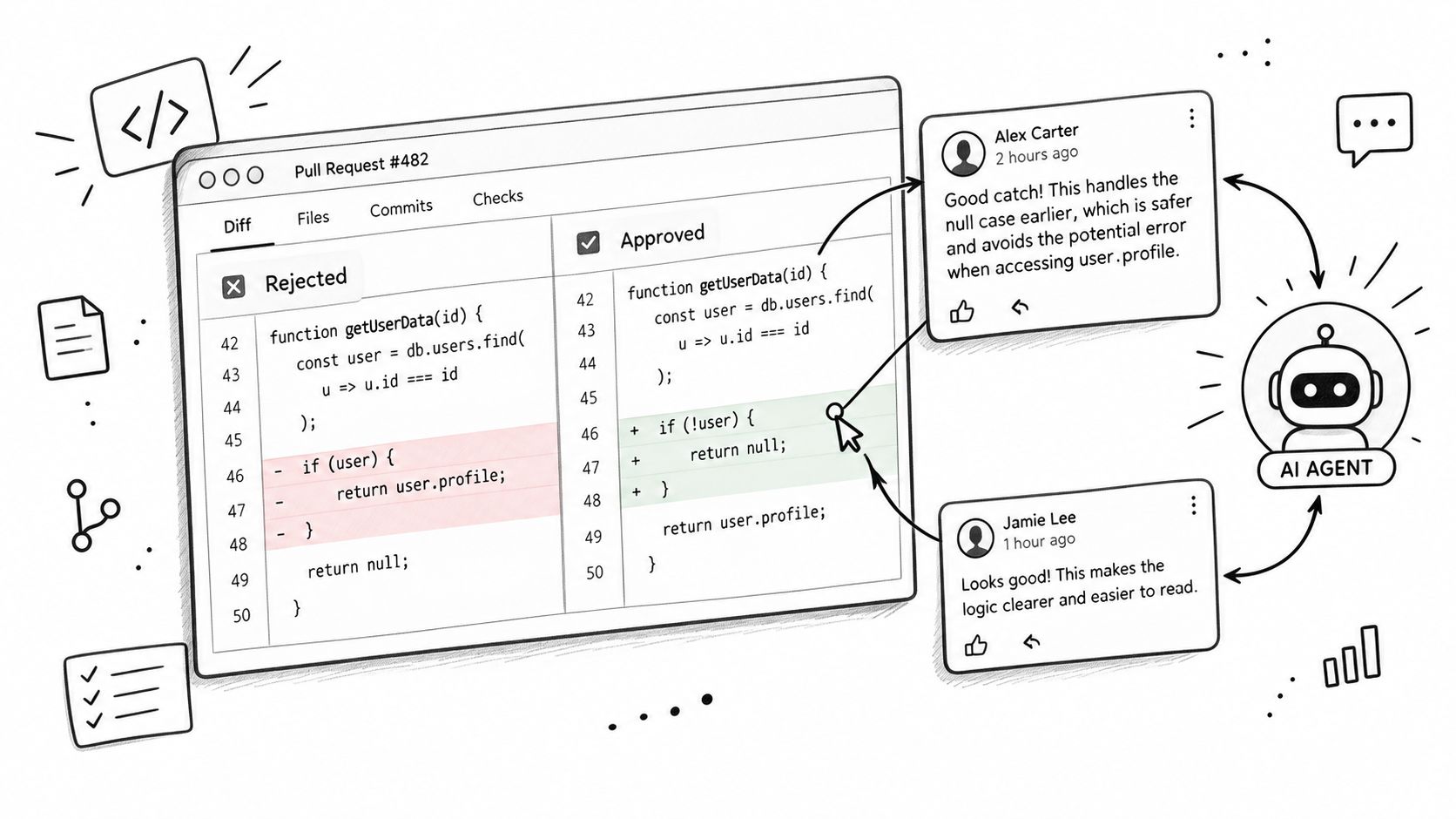
The button reads Send N comments, with the current count in place of N. Clicking it opens the agent launch dialog. The prepared prompt lists every comment as a checklist item and tells the agent to apply them in order before reporting completion. Nothing merges at this point. Nothing is approved either. The reviewer is starting another work pass with line-level instructions already attached.
A narrow comment creates a clear checklist item. One requested change per note gives the agent one clear task. The selected line supplies the location. The comment supplies the action. Repeating the ticket description only adds noise.
This loop remains human-controlled. The reviewer chooses the lines, edits the notes, checks the generated prompt, and launches the agent. The result returns as another code change that can be inspected. Comments do not certify that the fix was correct.
What does this design cost you?
The design leaves some coverage and isolation outside the feature in exchange for a review loop inside the same work board.
The LLM call form cannot inspect the diff. Its verdict is limited to whether the reported result credibly meets the written criteria. That can catch a weak completion claim. It cannot inspect the implementation. The Review agent form can inspect the artifact, but that access widens the trust boundary.
A review agent runs with the provider's default permission mode. AuricIDE does not place it in a special read-only sandbox. This is deliberate. A provider config may therefore let the reviewer do more than read, so the permission choice deserves the same care as the implementing agent's permissions.
A manual review stage can also be assembled as a user-built Skill Combo, with a later step run in a read-only mode such as Codex Plan (read-only). AuricIDE ships no built-in review skill; the user chooses the review prompt, provider, and position in the chain. That option exists for a team that wants a human-designed check in addition to the judge, not instead of it.
The two-attempt limit also leaves work unfinished. After the second rejection, the ticket needs a person. That interruption is the point: another automatic retry would repeat a loop whose prior runs already failed to settle the ticket.
AuricIDE adds no pull-request layer. It adds no CI layer. It performs no lint or static-analysis pass. Tests, type checks, branch rules, and merge policy remain outside this review mechanism. A judge verdict cannot stand in for them.
AuricIDE makes a few choices that are easier to defend for teams that already work with local-first systems and open-source developer tools. Project state is stored in one file inside the project directory, and AuricIDE tells git to ignore it. That keeps the work record on the current machine. A fresh clone brings none of that state.
Those boundaries define the shape review takes inside AuricIDE: judge and diff comments live on the same board as the ticket, not in a separate report nobody reopens.
The Rule That Survives the Next Tool
The durable rule has three parts: separate the reviewer, show it the right evidence, and let its verdict return work to the queue.
Separation reduces the chance that an author just repeats its own completion story. Evidence limits the review. A ticket-only check can challenge the claim. A code-reading check can inspect the patch. Neither replaces executable checks that the workflow does not run.
Consequence completes the loop. A rejection must reach the ticket with a reason. The next pass needs that reason. Repeated failure needs an exit to a person. Otherwise the board can display activity while the same unresolved work circles through agents.
This applies outside AuricIDE. Check what the reviewer can see. Check which permissions it receives. Check whether failure closes the gate. Then follow the verdict. Does it reopen work, start a repair pass, or just decorate a dashboard?
The answer reveals whether review is part of the workflow or commentary beside it. A verdict nobody acts on is just a log line.