AI Agent Manager: What Happens After Start
An AI agent manager earns its name after Start is pressed. See how AuricIDE handles agent bad moments and keeps work from getting lost.
Judge an AI agent manager by its launcher, and it looks finished the moment it has a Start button. That test measures the cheap part. Starting an agent takes one dialog and one click. The damage comes later: the agent asks a question, goes quiet, fails, or loses its process because the app closed.
The claim here is a narrow one: an AI agent manager is judged less by how it launches agents than by how it handles an agent's bad moments. Launching is one click.
Everything after it is where work gets lost.
That concern belongs to the wider practice of developer experience tools, where small interface decisions decide whether work remains recoverable.

What happens when an agent asks a question nobody sees?
At eleven at night, a coding agent is midway through a refactor. It prints, "Proceed with rewriting the migration in src/db/? (y/n)", and waits. The cursor blinks, the process stays alive, and the developer is answering a message in another window. Nothing has failed. Work has stopped.
The obvious reading is that the agent broke, or that the model was a poor choice. Neither is true. The agent is waiting for a human, and a terminal shows that only to someone who is looking at it. Until somebody notices, the refactor sits exactly where it stopped. A better model changes nothing about that, because the job is to route the interruption to the person.
AuricIDE routes it to four places at once. The card flips to Needs input, because the last lines of output look like a question, and it grows a Reply to agent... field, so the developer can answer without opening the terminal. The attention chip counts it. The window title becomes "(1) AuricIDE", and the dock icon carries the same number as a badge. The inbox stays empty on purpose. The last section explains why.
What does the Start dialog settle before the run begins?
The Start agent dialog asks for a working directory, a task, a model, and a permission mode, plus a provider when more than one is allowed. It remembers the choices per working directory.
Leave the directory empty and the agent runs as a general agent with no project MCP or database access. There is no name field: the agent takes its name from the first line of the prompt, and a double-click renames it.
Three settings shape what happens afterwards. Act without asking removes the permission prompts, and the dialog asks for confirmation once per session before it allows that. Headless Mode runs the agent unattended, lets it exit when done, and notifies you. New git worktree, labelled "Isolated branch, leaves your checkout alone", puts the edits on a separate branch.
None of these choices says what happens when the run goes quiet.
Which states can a card be in?
A card is in one of six states: Working, Waiting, Needs input, Stalled?, Done, or Failed. Each one points at a different next move.
Working means output arrived within the last few seconds. Waiting means the process is alive but silent, which is normal during a long tool call or while the model thinks. Silence alone never becomes Needs input. That state needs a prompt-shaped question in the last lines of output.
After two minutes without output the card says Stalled? and shows quiet 2m. The question mark is on purpose. AuricIDE has detected silence, not failure, and the verdict stays with the person. Its one button, Nudge: send Enter, does exactly that and nothing else. It never invents an answer and never restarts the process. Headless runs read Long run? instead and escalate only after a much longer wait.
Done and Failed follow whether the process ended successfully, not the tone of its last message. A Failed card offers Retry, and a finished card can be dismissed.
Monitoring and notification are separate jobs. A failure creates a toast and an inbox entry. A headless agent that finishes creates an inbox entry too. An ordinary agent that finishes sends nothing, and Needs input and Stalled? create no inbox entry either. They show up on the card, the attention chip, the window title and the dock badge. The AI agent monitoring problem is therefore about reading state correctly, not collecting every event in an inbox.
What do Retry, Resume and Terminate each leave behind?
Retry starts a new process with the same prompt, model, provider, and directory. Resume starts a fresh session whose prompt repeats the original task and says to inspect the current state first, because part of the work may already be done. The two buttons look alike and make different claims about what survives. Terminate leaves nothing.
Retry belongs to a failed agent. It replaces the failed card and does not bring back the old conversation, so treat it as a new attempt. It also does not undo anything the first process changed, and checking the files stays with the person.
Resume belongs to a restart. Agent processes end with the app, and the saved agents return under INTERRUPTED with Resume and Dismiss. Finished agents do not come back. A resumed agent is like a new shift worker handed a marked-up workbench: the worker can inspect what is left, but the person who made the marks is not standing there.
Retry repeats a configuration. Resume describes an interruption. Neither restores the old conversation.
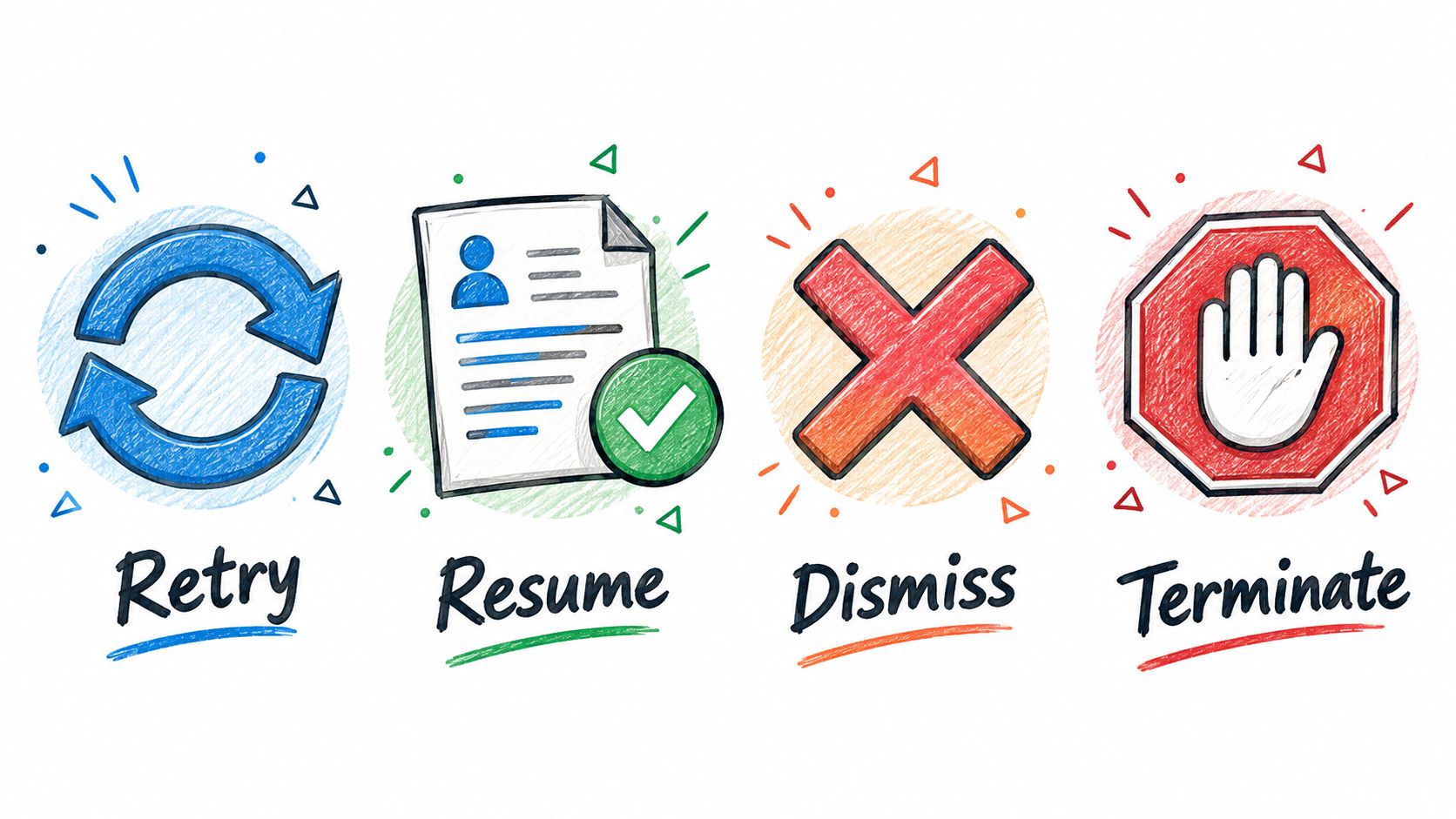
Dismiss clears a finished card and stops nothing. Terminate stops a running agent. The app asks "Stop this agent?", warns that its work in progress is lost, and removes the agent instead of leaving a Done row. Closing the window with agents running raises its own warning, "Agents are still running", with a Close anyway button.
What does this design cost?
Pattern-based prompt detection gives up full coverage for a rule the interface can explain. An unusual question may not match, and the card stays Waiting until two minutes of quiet turn it into Stalled?. That cost is real. It still beats treating every quiet moment as a request for a human.
Resume gives up conversational continuity for a clear restart boundary. The new session has to inspect the project state. It can repeat work, or run into a failure the earlier session had already solved.
The notification policy makes a third trade. Needs input and Stalled? stay out of the inbox, which keeps it for failures and selected completions. A developer who checks only the inbox can miss a waiting agent. The board has to be glanced at too. Terminate is the bluntest trade. It leaves no Done row and no recoverable result.
Three questions work on any manager, in any tool. What does this label actually know? What does the next click destroy? What reaches the developer who is not looking? Launching stays one click, and every label after it is a promise about what happened and what survives the next action.