AI Pair Programmer: How It Actually Works
Discover what an AI pair programmer really does, how sessions survive a closed terminal, and where the real limits show up.
Is this really pairing? Who's watching whom? Does anything remain when the terminal closes?
These questions come up after a familiar sequence. A developer starts an agent in a repo, picks a permission mode, accepts an edit across several files, and watches the agent describe its next step. The work feels collaborative. The agent responds to corrections and changes course. Then the developer closes the terminal before the task is done. The diff stays. The conversation ends.
Is the Agent Really Pairing With You
An AI pair programmer works with you while its process receives the context needed for the next turn.
The interface can suggest more. During a live session, the agent can inspect files, propose a diff, refactor several files, and explain its intent. The developer reviews each change. They redirect the work. It feels like two engineers sharing a keyboard, though one of them is a CLI process.
The shell exit sets the limit. AuricIDE runs each external agent as a local PTY child process. The process reports success or failure through its status, and the app shows that result as a state instead of a raw numeric exit code.
A human partner can resume. An agent CLI cannot resume a finished process unless another system records the needed context and supplies it later.
Practical rule: Judge the pairing by what survives a closed terminal, not by how fluent the live exchange feels.
The project stays available. The session does not become part of it by default. AuricIDE pins repos as app-like tiles, so reopening one gives you the workspace and its files. It does not restore every decision from the previous terminal.
The Assumption That Breaks the Metaphor
The natural assumption is that an AI pair programmer acts like a second brain and holds the whole working session.
A human partner remembers the goal, the rejected approach, the failing test, and why a decision changed. That memory may be imperfect. The connection remains. An agent model gets input from its host process. It can use a prompt, files, tool results, and any session history that the host provides, yet it has no independent, lasting understanding of the repo.
“Pair programmer” describes supervision well. It does not promise continuity. The developer watches the agent, checks its edits, and supplies judgment while the agent works inside a process with clear limits. The comparison stops working when a human expects the next session to remember.
Think of a temp worker in a workshop. The worker can follow the drawings on the bench and use the parts nearby. After leaving, they will not recall an unfinished talk unless someone wrote it down and left it with the project.
The useful question becomes: “What must carry the thread forward?” A file, project record, commit, or careful handoff can do that. Without one, a new process starts with whatever context it receives at launch.
What a Session Actually Keeps in Memory
A launch preset links a prompt to one provider, one model, and one permission mode.
AuricIDE keeps that preset separate from a discovered skill. A skill comes from configured directories and supplies a prompt. A launch preset lives in the app preferences and supplies the provider, model, permission mode, label, and prompt that start the agent.
The launch sequence is concrete:
- AuricIDE starts the selected external CLI in the repo's working directory.
- The CLI runs as a PTY child process and reads the files and commands available to it.
- Output returns to the agent panel.
- The developer keeps the process alive while reviewing and directing the work.
Between turns, the agent may get its system prompt, recorded replies, and a cleaned terminal tail. That tail is not a complete transcript. AuricIDE removes ANSI formatting and terminal chrome, filters duplicates, and caps the handoff at 2000 characters. The next turn gets a small slice of terminal activity, without a record of every file opened or command run.
Long debugging sessions show the limit. Earlier output leaves the tail. The agent will not receive it again unless the developer or workflow writes a summary somewhere that the next turn can read. The model did not choose to forget. The host did not send the old material.
For a closer look at the boundary between active context and stored project information, see agent context management.
Where Continuity Has to Live Instead
Context from a closed agent process has to live in the repo record or in a written handoff.
Developers can save decisions in commit messages, branch names, a requirements file, or a short note beside the affected code. The repo can also hold AGENTS.md, README changes, test cases, scratch files under /tmp, and structured logs written by the agent. A later process can read them when its prompt points to them.
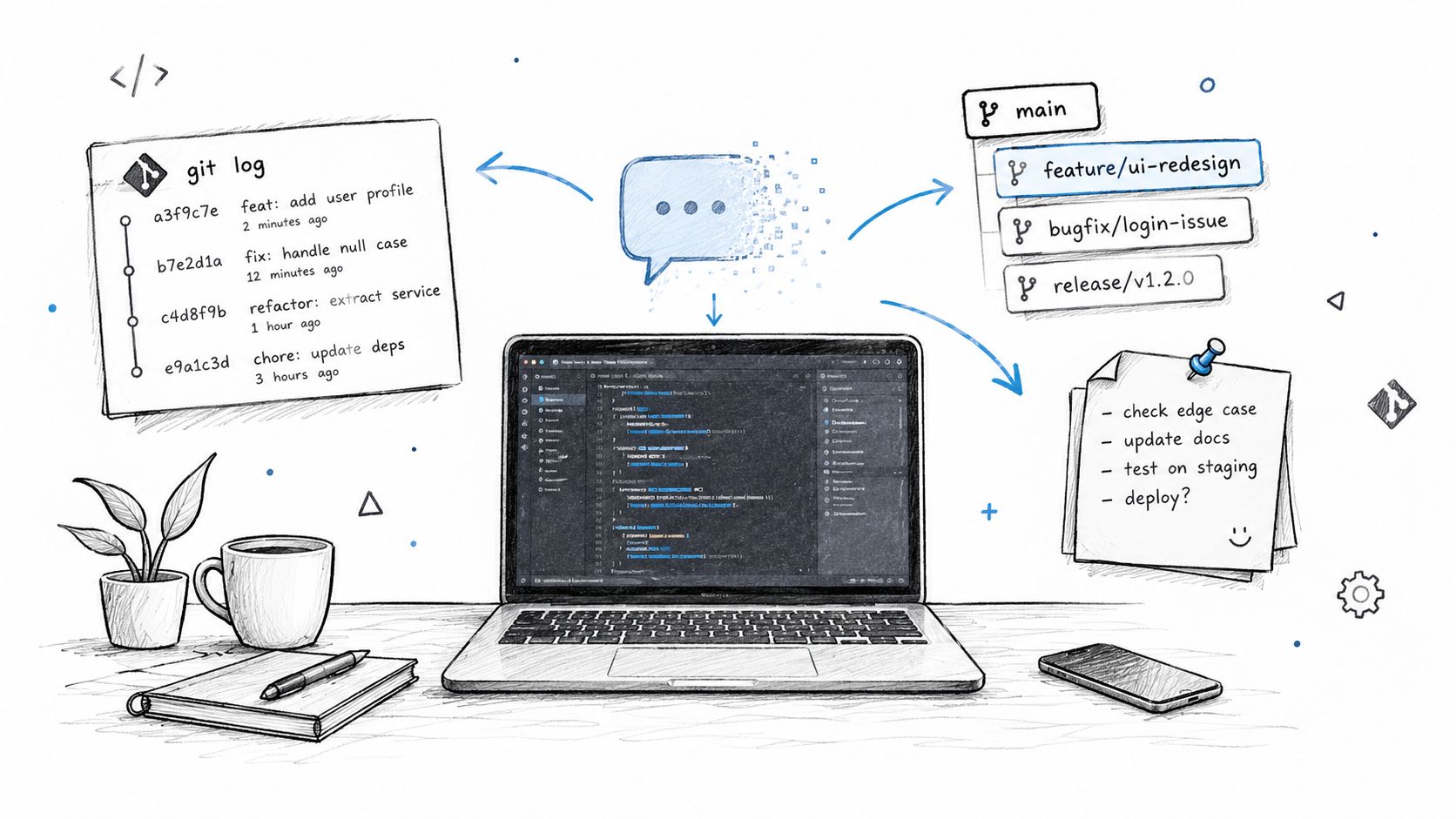
Each option has a cost. Notes take attention and go stale when nobody updates them. Project files remain private and local. They also require discipline because a new process will not read every file on its own.
AuricIDE stores shared project data in a SQLite file inside the repo. The record can cover goals, tickets, requirements, test cases, dependencies, and history, then share that state over MCP with agents and the desktop workspace. MCP servers are designed to expose tools for actions such as database queries and API calls, while persistent state still needs an explicit handle because MCP has no protocol-level session. The mechanics are described in the MCP server workflow.
Repo storage keeps the record local and private, and repo handling must preserve it. Files and MCP can make handoffs clearer. They also add project state that developers must maintain and review.
How a Chain Hands Context to the Next Agent
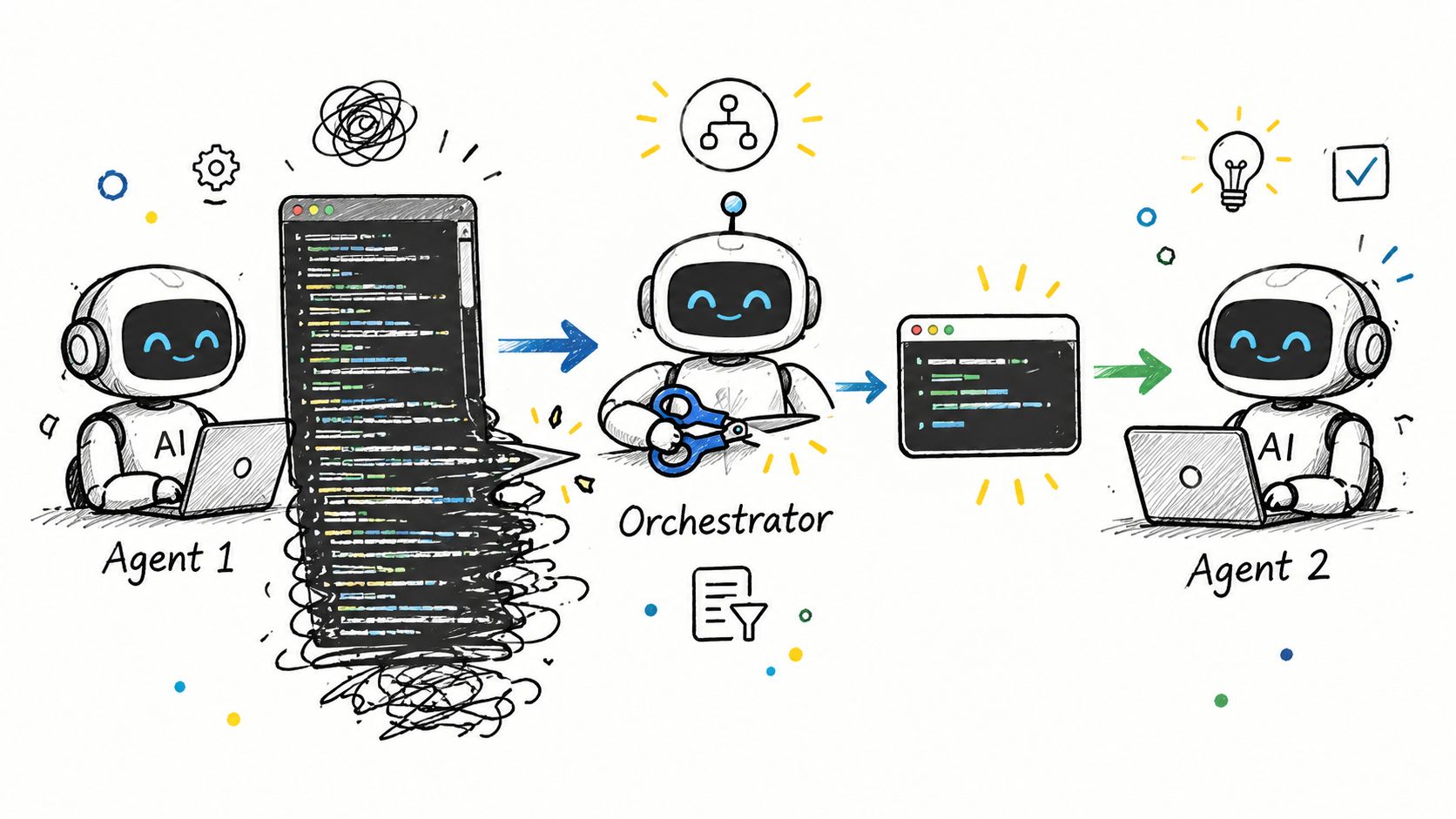
A chain gives the next agent a cleaned terminal tail rather than a full meeting transcript.
AuricIDE calls its chains combos. A combo runs skills in order, with a provider, model, permission mode, and prompt for each step. After one step finishes, the next starts with its own prompt and the cleaned terminal tail from the previous step.
The handoff works like this:
- Terminal cleanup: ANSI sequences and terminal chrome are removed.
- Noise reduction: duplicate content is filtered.
- Bounded transfer: the result is capped at 2000 characters.
- Next launch: the cleaned tail is attached to the following skill's context.
The handoff helps. It also loses detail. The next agent might see a final command, test failure, or short status message. It will not get a complete transcript or a record of every action. A JSON result remains structured only when one step writes it to a known path and the next prompt tells the agent to read it.
A chain needs something concrete left behind. One skill can write a small result file, update the project ticket, or leave a clear test report. The next skill can inspect that artifact instead of guessing from the terminal tail.
Different agent CLIs can also run in one workflow. AuricIDE loads external harnesses from schema-validated JSON provider configurations, so adding one does not require recompiling the app or maintaining a plugin API. The generic handoff still uses the terminal, which avoids a vendor-specific transcript format.
More detail on making ordered agent work inspectable appears in AI coding workflow.
The Real Test for Any AI Pair Programmer
A new launch should be able to rebuild the task after the old terminal closes.
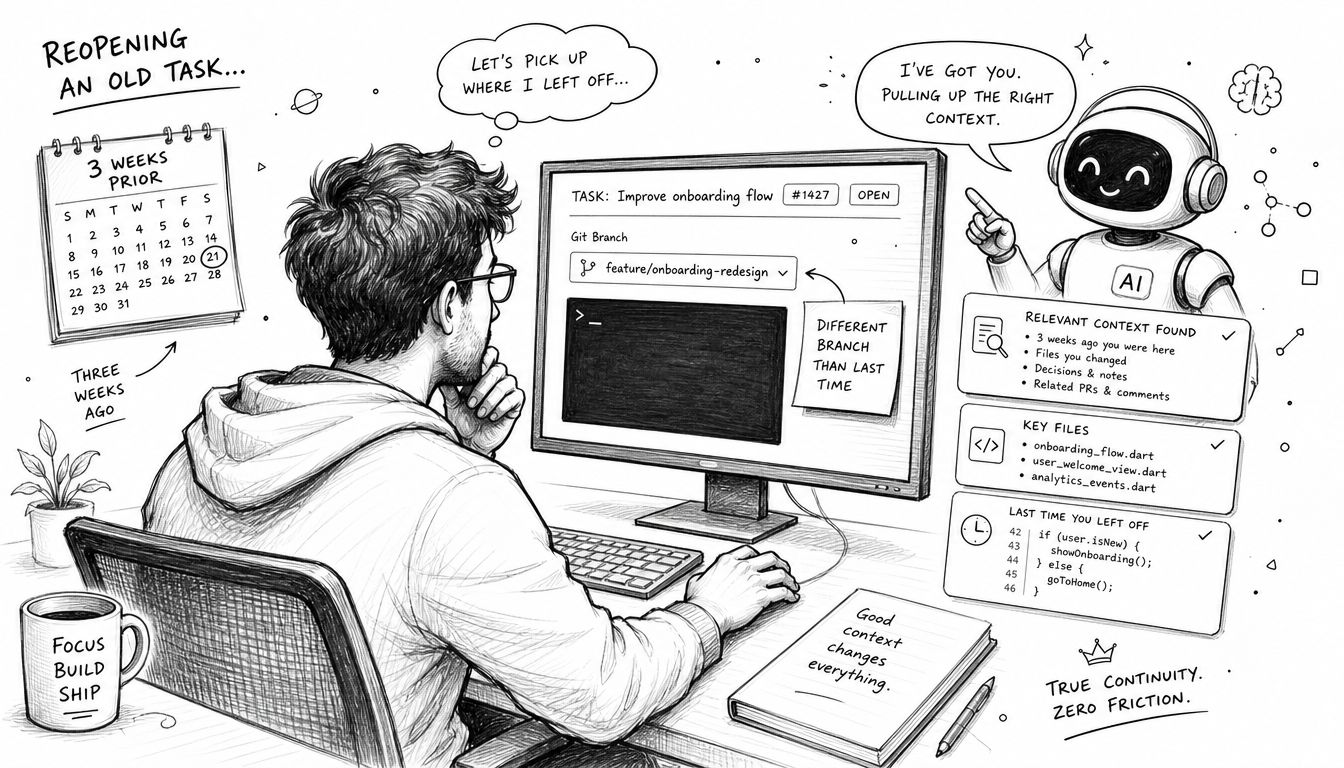
Resume work from weeks ago, on a different branch, with no active session. A human partner may recall the design trade-off, the failing test, and why one option was dropped. An agent must recover those facts from the repo, project record, and starting prompt.
Use a real unfinished task. Then check whether it can find:
- the relevant commit or branch,
- the latest project instruction,
- the last failing test,
- the file that contains the unfinished change.
The test measures continuity. Conversational polish does not help here. It also shows how much context the developer must carry by hand before useful work resumes.
Test chains the same way. The next agent should explain what the previous step finished, what failed, and where it wrote structured results. A fragment of terminal output is not enough. The workflow needs a file or project-state handoff.
The label AI pair programmer raises the same question for every tool that uses it: when the session ends, where does the context go? A live agent can feel like a partner during the process. The next session must recover the decisions that the closed terminal no longer contains.
AuricIDE provides a local desktop workspace for launching CLI agents, composing ordered skills, and exposing shared project state through MCP. Visit AuricIDE to examine how its provider presets, repo-local SQLite record, and terminal-tail handoffs handle continuity after a session ends.