AI Agent Skills Are Not Just Prompts
AI agent skills are not just prompts. Learn how AuricIDE defines reusable ai agent skills with provider, model and permission modes.
Many people describe an AI agent skill as a saved prompt. That definition leaves out the setup that controls behavior.
At 9:14 on a normal day, a developer pastes a good prompt for “add a test for this function” into whichever CLI is open. The prompt is fine. The result isn't. One run asks for a different framework, another writes a test that needs broader permissions, and a third stops for approval that wasn't there before. The same text produces different work because the setup changed.
AuricIDE's broader agent workflow makes that gap easier to see because the same instruction can land in different execution shapes.
A reusable instruction stops being reusable when its model or permission mode can change underneath it.
Why Saving the Prompt Alone Does Not Make a Reusable Skill
Saving a prompt solves recall. It leaves behavior open to change.
A prompt snippet saves retyping. It leaves the model open. It also leaves the permission mode open. Both choices change what the agent can do. Under a strict setup, a test-writing prompt behaves like a careful assistant following a checklist, while looser permissions let it touch more files and create more review work. The developer must review that extra work. The words stayed the same throughout.
A prompt library remembers the instruction. It does not remember the model, tools, or safety rules used when the instruction worked.
Practical rule: if changing the model changes the behavior, the skill was never just the prompt.
A reusable coding skill combines a saved prompt with a specific agent, model, and permission mode, because changing any part of that setup can change the work it produces.

What Are AI Agent Skills, Actually, in AuricIDE?
AuricIDE supports two forms of ai agent skills, and the difference is easy to miss.
The first is a discovered skill. AuricIDE finds it by scanning configured directories. The scan stores its invocation, name, description, source, scope, path, and source_id. No provider. No model. No permission mode. The app can find and identify the skill, but it lacks the settings needed to run it as a complete contract.
The second is a launch preset, which the app can run. It includes a label, prompt, provider, model, and permission mode. AuricIDE stores it in app preferences. Not in the scan. When someone creates a launch preset from a discovered skill, the preset keeps the invocation so later scans can recognize it. A discovered skill defines the work. A launch preset adds the settings AuricIDE needs to run it.
| Attribute | Discovered Skill | Launch Preset |
|---|---|---|
| Purpose | Found by scan | Runnable setup |
| Stored where | Scanned directories | App preferences |
| Provider | No | Yes |
| Model | No | Yes |
| Permission mode | No | Yes |
| Invocation | Yes | Yes, preserved when adopted |
| Re-scan recognition | Yes | Yes |
The repository can contain the discovered skill. The preset stays local to the app. As a result, the repository does not carry one user's execution choices to everyone else.
How Do You Author and Register a Skill That Runs the Same Way Every Time?
Repeatable behavior depends on keeping the prompt, provider, model, and permission mode together.
AuricIDE finds skills by scanning configured directories. Put the skill in a directory included by that scan. Then open Settings → Agent and register the external CLI as a dynamic provider. Each CLI uses one JSON provider config, which AuricIDE checks against a schema. Adding one requires no recompile or plugin API.
The CLI wrapper serves as the harness. AuricIDE loads these harnesses as dynamic providers, making the product as a whole a meta-harness.
The execution settings fix the behavior. Without a provider, the prompt is just text. An unnamed model leaves the result open to change. A missing permission mode is a risk disguised as convenience.
The path inside AuricIDE is direct: a discovered skill becomes a launch preset, the preset keeps its invocation, and the app now has a definition it can find plus a contract it can run. For a broader integration view, AuricIDE's agent integration notes fit the same shape.
How Does Chaining and Handover Work Between Skills?
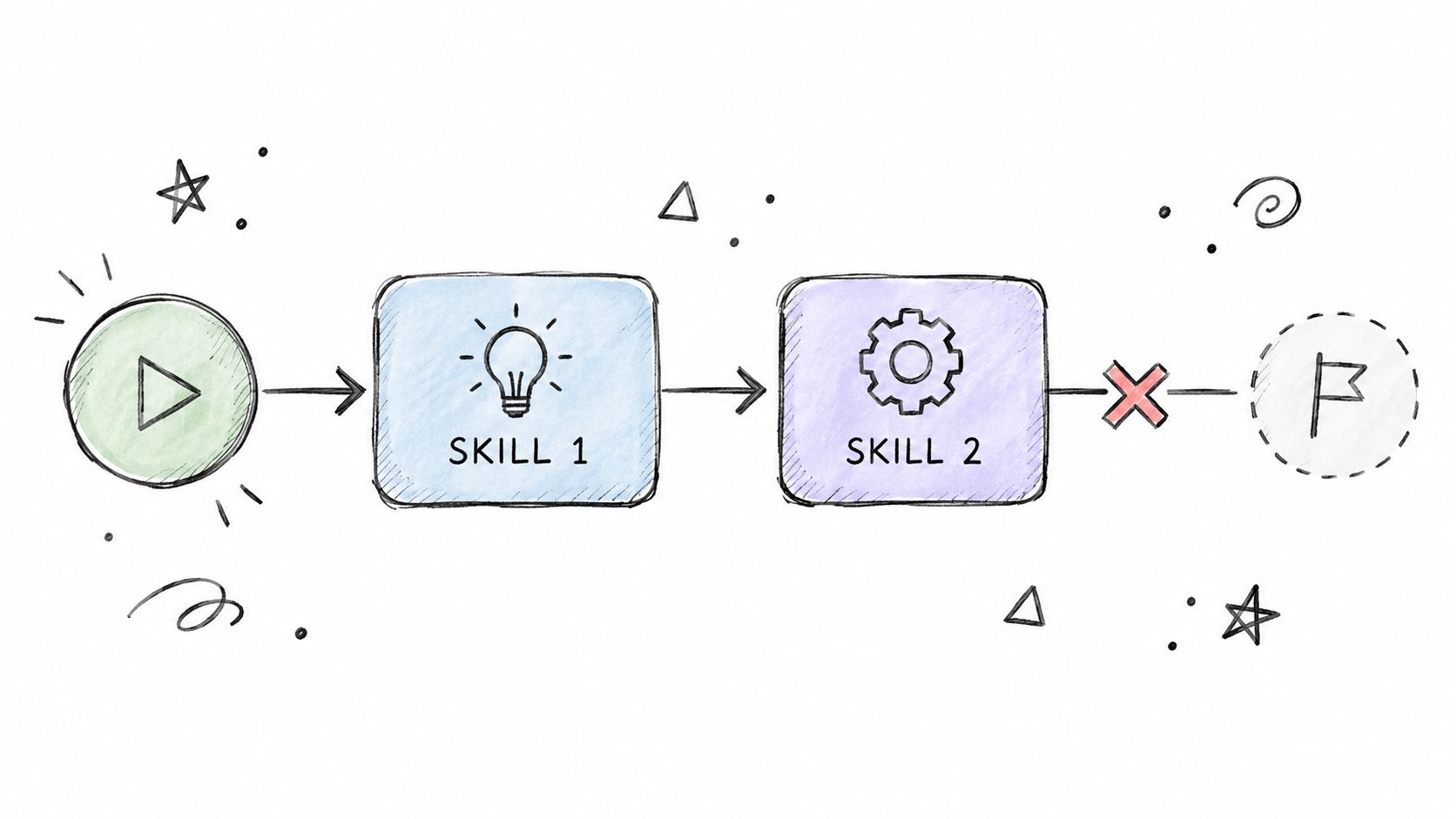
AuricIDE runs chained skills in order. Each step keeps its own agent, model, and permission mode.
These chains are called combos. A failed step stops the chain. No fan-out. No parallel branches. Extra output cannot make the chain continue after a failure. If step two fails, step three never runs as though everything worked.
Each step receives its own prompt and a cleaned terminal tail from the previous step. AuricIDE strips ANSI codes, removes interface chrome and duplicate content, then limits the tail to 2000 characters before passing it on. The next step gets the useful context without receiving a full dump of raw stdout.
Agents run locally as PTY child processes. Each process reports success or failure through its exit status. Shared project state over MCP keeps goals, tickets, requirements, test cases, dependencies, and history aligned as the chain moves from one step to the next.
Start debugging at the failed step. Inspect the saved logs. Then check whether the terminal tail contains the context needed by the next step. An empty tail or a bad exit from the prior step stops the chain early, before more agent output can bury the problem. For a closer look at how that tail is trimmed and carried forward, see agent context management.
What This Design Costs and What You Keep When You Leave AuricIDE
The design adds some setup. In return, the user controls how each skill runs.
A discovered skill cannot run until someone turns it into a preset. AuricIDE does not guess the execution settings. The person starting the work must choose the provider, model, and permission mode.
The app stores presets locally. Chains also stay sequential and cannot fan out. That can feel rigid when someone wants one definition to run across many branches at once.
AuricIDE stores project data in a SQLite file inside the project directory. It adds that file to .gitignore by default, so a clone does not include the work record. The record stays on the machine and out of other places.
Launch presets work the same way. They live with the app. A different machine does not inherit another machine's setup automatically.
The reusable part remains useful after the tool changes. Each skill still needs a named model and permission mode, because without them, "the same skill" can produce several different behaviors depending on whatever happened to be configured that day. The rule applies to any agent tool, even when its interface uses different buttons.