Open Source AI Tools for Developers in 2026
Curated open source AI tools for developers in 2026, from agent CLIs and local models to MCP servers, with trade-offs and clear use cases.
Monday starts clean. One developer closes a coding session, and a second agent opens against the same branch before the coffee is even cold. Then an MCP tool gets asked what remains. The files are shared, but the work record is not. Each tool has a different transcript and task list.
The developer becomes the sync layer.
That is the problem with an agent fleet. Model quality matters, and so do handoffs, but a sound answer built on stale work is still wrong: the second agent exposes the gaps between model, client, protocol, and project record.
When does a second agent break the workflow?
It breaks when each session keeps a separate account of the task. One agent finishes a refactor. Another repeats the search. A third trusts an old test result. The group no longer agrees about what happened.
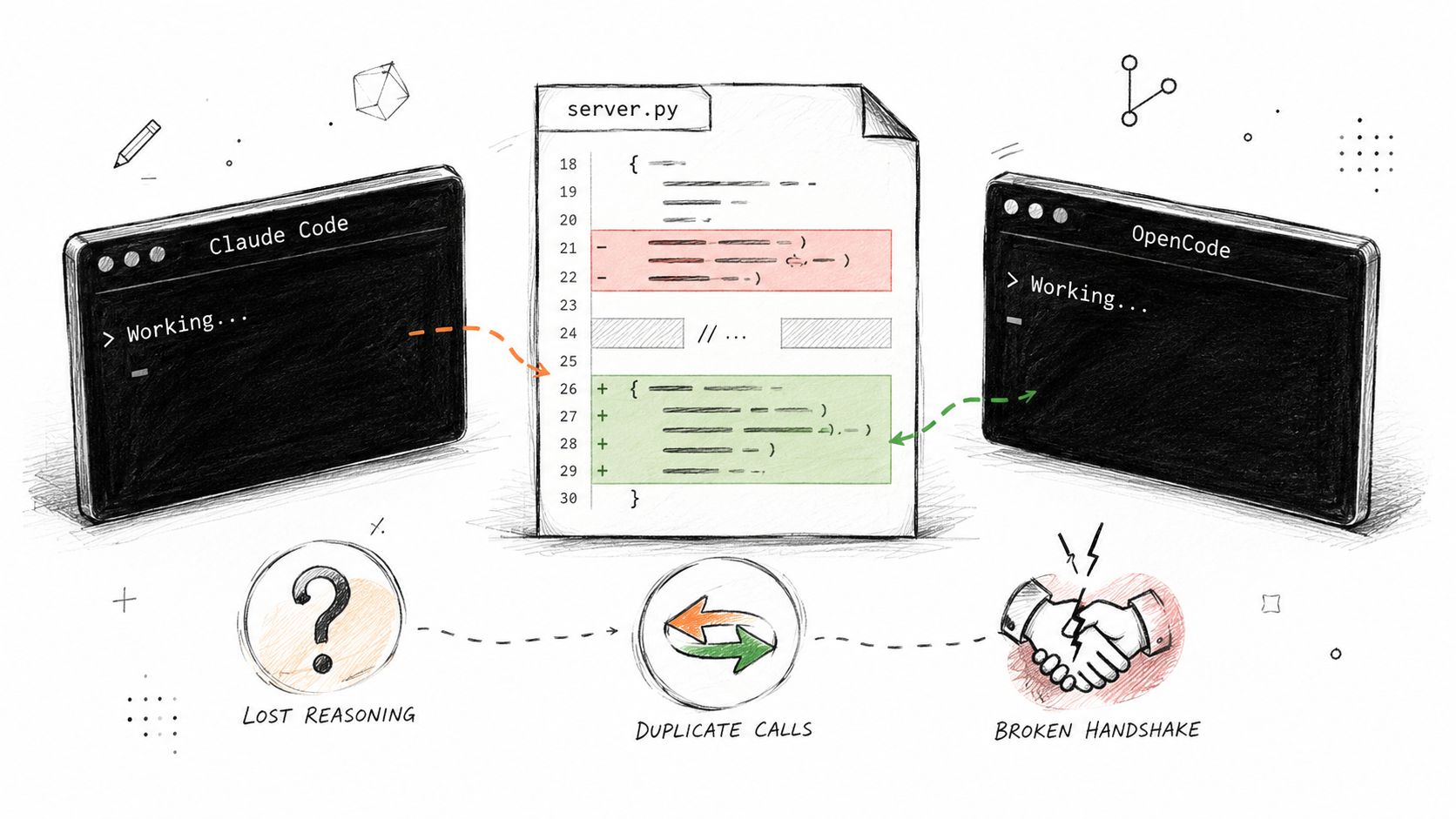
The first warning is duplication. The next is contradiction. A stale branch can then cause a bad edit. The human compares transcripts, inspects diffs, and reruns checks. Every handoff adds more repair work.
Practical rule: if a handoff depends on memory, treat it as missing.
Shared files are not enough. Git records changes. An unfinished session may also contain a plan, blocked prompt, or failed command. A fleet needs an explicit task record and visible process state.
The orchestration problem is covered in more detail in AuricIDE's agent orchestration framework, but the core issue is already visible here. Shared work fails when each tool believes it owns the whole truth.
What job does each open-source AI tool perform?
Each tool should have one clear job from prompt to checked change. Then a slow model, broken client, missing permission, and stale record look like different failures.
| Layer | Examples | Job | Question to ask |
|---|---|---|---|
| Local runtime | Ollama, llama.cpp | Run model inference on local hardware | Can the machine run the chosen model within its memory limit? |
| Model interface | Hugging Face, LM Studio | Find, obtain, inspect, or expose models | Is the next step discovery or repeatable automation? |
| CLI coding agent | OpenCode, Aider, Crush | Read a repository, use tools, and propose edits | What record remains after the terminal closes? |
| Protocol | MCP | Give an agent host a structured way to call tools | Where is state stored between calls? |
| Orchestration | AuricIDE | Run agents and show their work across projects | Which agent needs a person now? |
A runtime handles inference. Ollama wraps local models behind a service interface. llama.cpp exposes model files and hardware settings. Agent handoff belongs to the orchestration layer.
An interface serves another job. Hugging Face supports model and dataset discovery. LM Studio gives local models a desktop interface and can expose a local endpoint. A shared task record remains the orchestration layer’s job.
A CLI coding agent turns model output into repository work. Its contract covers readable files, allowed commands, permitted changes, and retained evidence. OpenCode, Aider, and Crush offer different terminal workflows. Another process still needs an inspectable handoff.
That is why guidance on how to create an AI agent must cover more than the model call. It must define permissions, inputs, outputs, failures, and retained evidence. Otherwise, a terminal session can end without a reliable next step.
The next contract belongs between client and agent. AuricIDE's agent integration notes sit in that seam.
MCP supplies the tool-call contract. Workflow state still needs explicit storage. The 2026-07-28 release removed the older initialize exchange and the Mcp-Session-Id header. Each request now stands alone, allowing simple load balancing without shared protocol storage (MCP tools spec, MCP 2026-07-28 release notes). A stateless protocol can simplify routing. It cannot remember an unfinished refactor for the next agent.
What does AuricIDE do during a handoff?
AuricIDE runs each CLI agent locally and shows its status in the Agent Console. The console groups agents by repository and labels each run as waiting on a person, failed, possibly stalled, running, or done. Projects needing attention appear before calm ones. Starred projects remain visible without a running agent.
Open the Agent Console. Each project has its own section. Every agent appears as a card. The card shows its current phase. A failed run stays failed after review. A permission prompt reads “Waiting on you.” Silence can become “Possibly stalled” after the stall window. The operator can open the full terminal, send input, retry a failure, or stop the process.
The process boundary matters. Each agent has its own PTY child process, so one process ending does not end the rest. AuricIDE reports success or failure from each process’s exit status. It does not expose the original numeric exit code. Success maps to 0 and Idle. Any nonzero result maps to 1 and Error. A wait error maps to -1 and Error.
Project planning data is stored in .auric/project.db inside the project folder. It includes goals, tickets, requirements, test cases, dependencies, and change history. AuricIDE also creates .auric/.gitignore with a rule that ignores everything there. The database therefore stays on that machine unless someone copies it by another route. A fresh clone has no project record.
Agent chains handle a narrower handoff. One configured skill runs. The next receives its own prompt plus a tail from the prior terminal session. AuricIDE removes ANSI control codes, blank redraws, selected interface lines, and consecutive repeats. It scans recent output and keeps no more than 2,000 characters. The next agent sees a clear warning: the tail is truncated and untrusted. It should inspect the working tree.
The tail can reveal a failed test. The database provides the structured record. Git provides the code changes. None replaces the others.
What does local orchestration cost?
Local orchestration costs setup, upkeep, and a handoff record that does not follow a clone. That can be annoying. Changing machines means copying or rebuilding the project record.
The benefit is plain. Agent processes and project data stay under local control. The console compares repositories without asking each CLI to describe itself.
Small jobs may not justify this layer. One agent and one reviewable commit can work with Git alone. The extra record earns its place when work spans agents, tools, or long tasks.
Licensing adds another decision. The GNU AGPL v3 adds a network-use obligation beyond ordinary GPL distribution. If modified software runs over a network and users interact with it there, they must be offered the corresponding source code even when nothing is copied out to them (AGPL v3 overview). That distinction matters for servers, wrappers, and agent tooling that sits behind a network boundary.
Network exposure belongs in the deployment review. Teams modifying AGPL software need a plan for offering corresponding source. That question is separate from local data placement.
What remains true in any agent toolchain?
A reliable fleet needs explicit answers for process state, project state, and handoff evidence. Tool names change. Those questions remain.
Start with one real repository. Run one agent, then hand its unfinished task to another. Check what the second agent can inspect alone. Find the first missing fact, whether that is a branch, a failed test, a permission, an owner, or the next command someone forgot to write down. That gap identifies the weak layer.
Do not begin with a feature matrix. Begin with the handoff. A runtime runs the model. An agent performs bounded work. A protocol defines structured calls. Orchestration shows what happened, what failed, and who must act next.
AuricIDE stores that shared record locally, exposes project state through MCP, and passes cleaned terminal tails between chained agents. For teams wiring CLI coding agents into one repo, that makes the orchestration problem concrete instead of hand-wavy. Visit AuricIDE and see how the fleet model fits a real development workflow.