AI Requirements Management: One ID Per Requirement
See how AI requirements management works in AuricIDE: one record per requirement, a unique short ID, and a batch import that fails whole.
import_requirements, twelve records, REQ-AUTH-01 through REQ-AUTH-12, each naming spec.md as its source. The reply confirms twelve records. That was Monday's run. On Friday a new session reads the changed spec, which now contains a thirteenth requirement. The agent sends all thirteen through the same tool. The call fails.
Twelve of the thirteen IDs already exist. That makes the entire import fail, including the new record. Nothing gets saved. Monday's twelve stay as they were. Friday's requirement still needs a separate import after someone checks which entries already have names.
The failure exposes the real problem in AI requirements management. An agent need not forget a requirement to duplicate it; it only meets the wording again without knowing a record exists. More context cannot answer whether a record exists. A name the record keeps can, although it only points, and a person still has to compare the content.
Why does giving the agent the whole spec fail?
The spec tells the agent what to build, but it does not tell Friday's session which requirements Monday already recorded.
The tempting explanation is forgetfulness. Give the new agent every page, the reasoning goes, and it can avoid repeats. But the pages never name the existing records, and prose cannot answer that question. A sentence changed on Thursday. A ticket quotes the old sentence. Friday's agent can read both and still create a second requirement for the same work.
More context helps compare descriptions. It does not establish identity. The agent needs to ask whether a requirement already has a record, then use that record's name in later steps. Otherwise, each retelling can look like a new item. The duplication is an inventory error. The agent may remember the spec exactly.
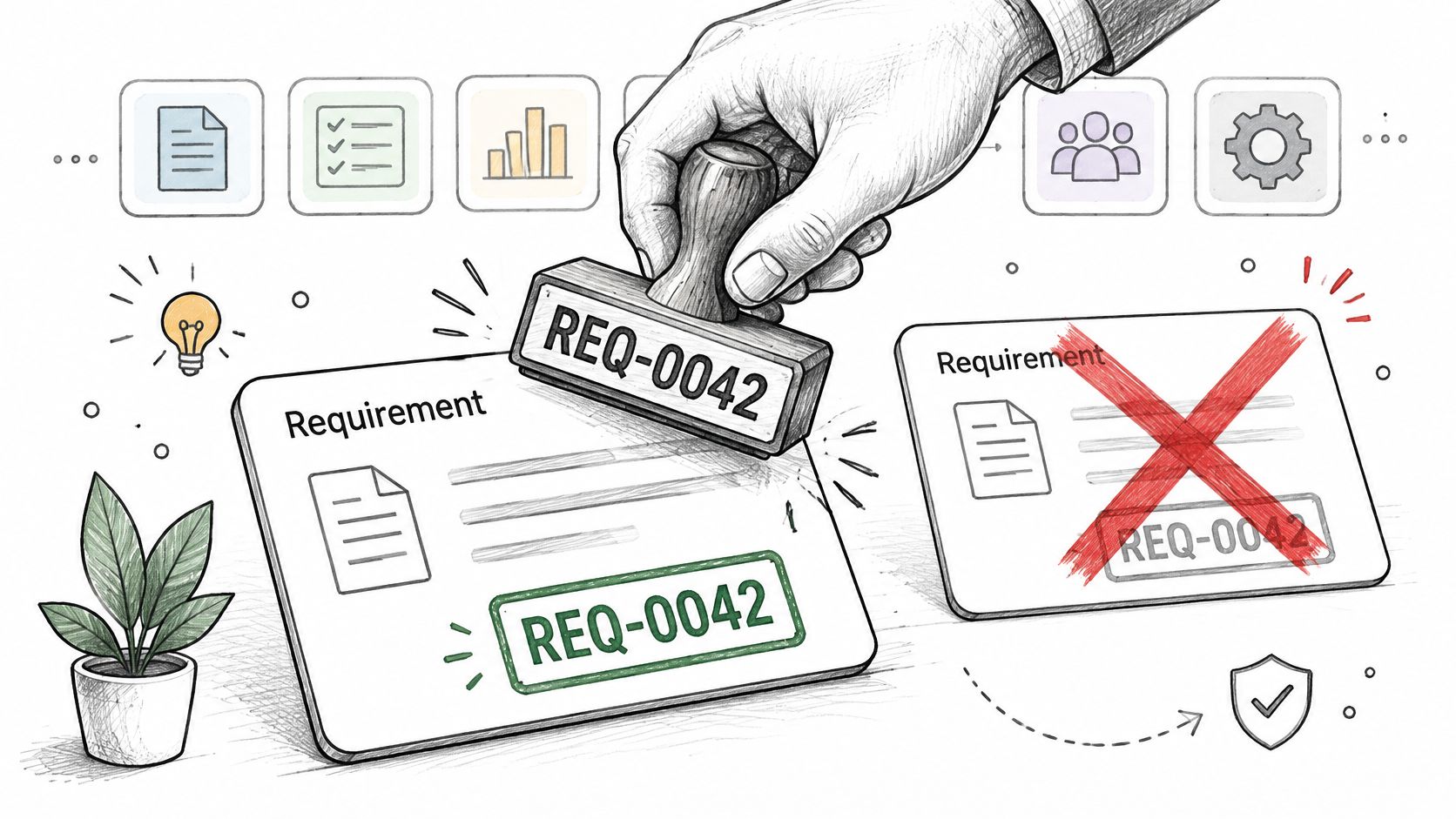
The shelfmark in a library makes the distinction plain. Two editions can have different wording on the cover. A shelfmark gives the librarian one item to retrieve. AuricIDE's requirement ID serves that narrow purpose. It identifies a record, not the truth of its contents. The name also gives a reviewer something short to put in a ticket without pasting the requirement again.
What happens in AuricIDE after Friday's import fails?
The agent can list requirements, compare Friday's source with the existing records, and import only the new requirement under an unused ID.
There is a visible version of that check. Open the Work rail and choose Requirements. Monday's records appear. Search accepts an ID or title words. Select REQ-AUTH-01. Its detail view shows the title, rationale, acceptance criteria, source, and status. A person can inspect the source instead of guessing why the record exists. If Friday's line matches an existing item, edit that item. If it describes new work, create a new one.
The New Requirement dialog handles the name for a person. Enter auth as the category. With Monday's twelve on the list, the dialog previews "Will be assigned: REQ-AUTH-13". Add a title, a rationale, acceptance criteria and a source, then save. It starts as a draft. The ID is on screen before saving, so nobody has to invent a number by eye.
An agent works with the same project records through the auric-pm MCP server, and there the caller chooses the ID. It lists what exists, then fetches a record by ID. The answer carries the title, rationale, acceptance criteria and source. The agent can then decide whether Friday's sentence changes an existing requirement or calls for another one. AuricIDE does not make that decision for it. The source field names spec.md, and the criteria show what Monday recorded, so the changed line has something to be compared against.
A single create call with a taken ID fails. A batch behaves the same way as a unit: if any ID in the import is taken, nothing in that batch is saved, even the new entries. Friday still has twelve records. To finish the run, the agent inspects the list and submits the thirteenth entry on its own, under an unused ID. It starts as a draft.
The rule prevents a partial result. Without it, the agent would have to work out which of thirteen records were saved before trying again. The refusal gives the caller a chance to compare names before adding anything. It cannot prove that two differently named records describe different needs.
Lookup is forgiving about case and precise about matches. The get tool accepts a full ID or a prefix. With REQ-AUTH-01 and REQ-AUTH-02 present, REQ-AUTH-01 resolves. REQ-AUTH matches both, so the tool returns an error that lists up to five matches. REQ-PAY finds none and returns an error. A vague name never selects a record by luck, and the agent has to narrow the request.
What does that rule cost?
The unique ID guards a name, and people still have to judge whether two records mean the same thing.
An agent could create REQ-LOGIN-01 for work already filed as REQ-AUTH-01. Both IDs are unique. Both records would be accepted. AuricIDE does not detect contradictions or near-duplicates between requirements. Someone must compare the content, choose the right record and clean up the extra one, because a failed import can prompt that check while a successful import certifies nothing about meaning at all.
MCP leaves naming with the caller. That gives the agent control, and it also permits a naming scheme nobody on the project would recognise. The existing IDs show the current scheme, and putting it into the prompt keeps new names in line. The app dialog suggests a name from the category, but it cannot impose that on an MCP caller.
Names can change, too. update_requirement can rename an ID over MCP. Test links and goal links point to the record, so those links survive the rename. The app UI does not offer renaming. A ticket or prompt that quotes the old ID has no such protection. Its text still names the old record, and lookup by that name fails. Renaming calls for updating those references outside the app.
Project state sits in one file inside the project folder. AuricIDE tells git to ignore it, so the file stays on that machine. A clone starts empty. Its numbering starts at 01. Anyone expecting the second machine to know Monday's records has to transfer the project state separately. Local storage keeps the record close to the agents on that machine, and it does not create a shared catalog.
What remains useful in another tool?
A second run over the source should have a clear answer about names, saved records, and what the caller must do next.
Repeat Monday's import on Friday. If the tool rejects a taken ID, check whether it saved any other entries before retrying. Then ask for one requirement by name. Does that name retrieve the full record, including why it exists and where it came from? Can a short, ambiguous name produce an error instead of a guess? These questions apply even if the tool has no Requirements screen.
The name has a limit. REQ-AUTH-01 can tell two agents to look at the same record. It cannot spot a contradiction. Friday's new sentence might dispute the record. That judgment still needs the source, the record, and a person or agent willing to compare them. Friday's failed batch leaves a useful task: find the genuinely new line, give it a name, and leave Monday's twelve alone.