Local AI Agents: What Changes Under the Hood
Discover what local AI agents actually change under the hood, from PTY processes to SQLite-backed shared state and concurrency tradeoffs you can feel.
Local agents make coordination visible
Two coding agents finish within the same second. Both update the same project. The first records its result and returns. The second reaches the project database, then pauses. Nothing has crashed. Its terminal simply waits while the first process finishes writing.
That pause is the story. Running agents locally does keep source code and project records on the workstation, but data location is only the first visible boundary. Add a second agent and another boundary appears: several separate processes now share one machine, one repo, and one project record. Their work needs an order. AuricIDE’s approach to AI agent orchestration exposes that order instead of hiding it behind a hosted service.
The claim is simple enough to challenge: the daily change created by local agents is coordination, while privacy is the benefit noticed first.
What changes besides privacy?
Running agents locally changes who must deal with collisions: the desktop tool and the developer now see them directly.
The obvious answer starts with privacy. Code stays on the workstation. Commands run there too. A remote execution service does not need the repo or AuricIDE’s project records. That boundary matters. It remains incomplete.
Several agents can still read files, launch commands, call network tools, and update shared records when permissions allow those actions. Local storage does not grant safety by itself. Tool access and approval rules remain separate controls, which is why AI agent access control belongs in the same conversation as any local setup.
Coordination becomes concrete fast. One process may be editing a file while another runs tests against it. Two sessions may update the same ticket. A third may need the result of both. Each action is local, yet the actions can conflict or arrive in an unhelpful order. Privacy answers where data stays. It does not answer who writes first, what the next agent receives, or how a failed process appears in the interface.
That is the wrong shortcut. “Local” describes a boundary. Scheduling is a separate question.
What actually happens when AuricIDE runs a fleet?
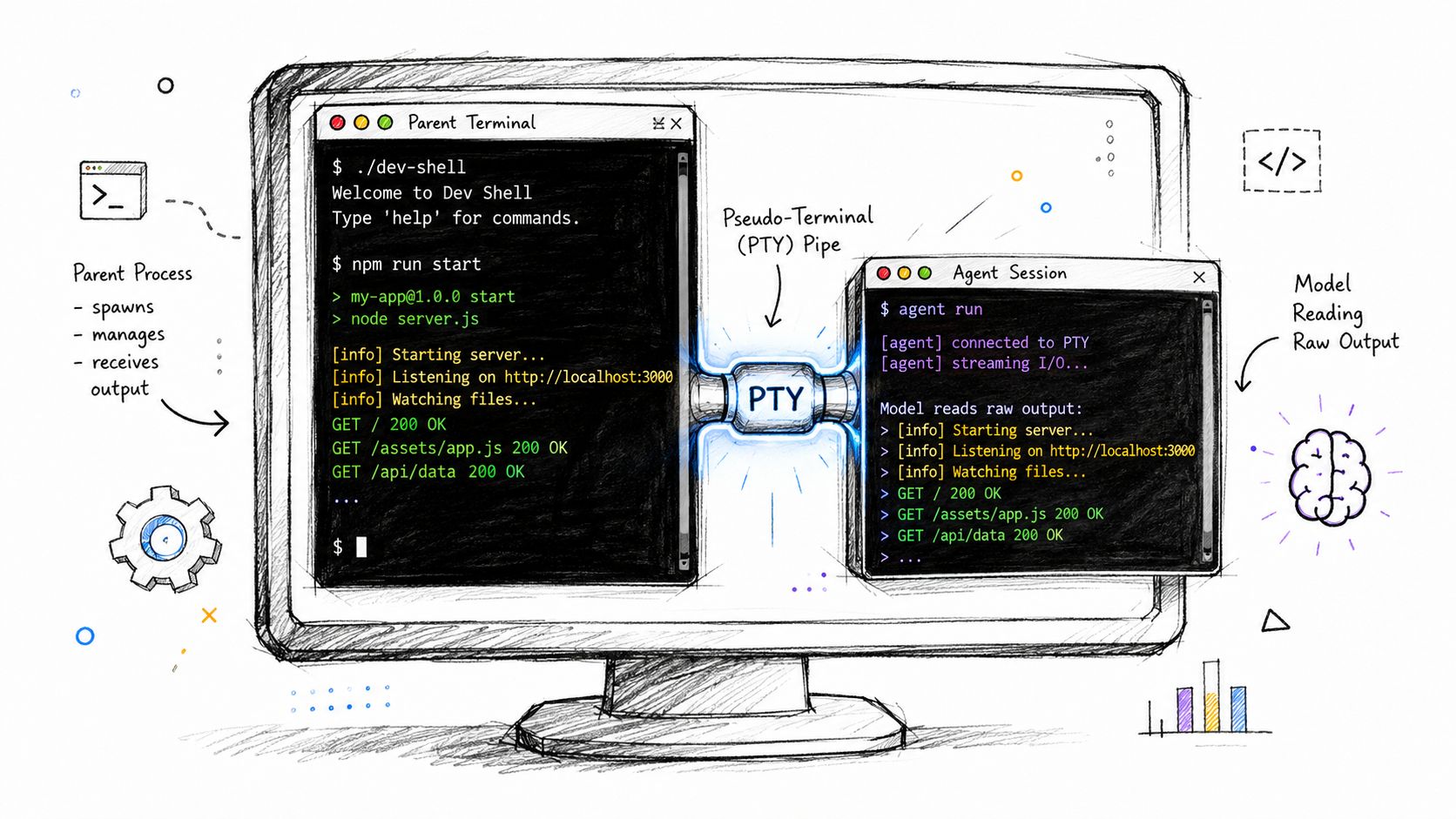
AuricIDE starts each agent as a child process attached to a pseudo-terminal, then tracks that process as one member of the fleet.
The PTY matters because coding agents behave like terminal programs. They print progress, redraw interface elements, ask questions, and wait for input. AuricIDE can show that session and pass keystrokes back without pretending the agent is a background API call. Each agent still uses the machine's resources like a separate command-line process would. More sessions mean more local work.
When a process ends, the fleet manager reduces the outcome to three values: 0 for a clean exit, 1 for a nonzero exit, -1 if waiting on the process itself failed. Those are categories, not the process's real exit code: a value like 130 never shows up in the fleet result.
Processes are separate. Project state is shared. AuricIDE keeps one database file per repo at <project>/.auric/project.db. Project setup also creates .auric/.gitignore containing a single *, which keeps that local directory out of version control by default.
Only one agent can write to the project database at a time. If two agents try together, one write completes first. The other waits or gets an error the app can show. Developers see the pause, and sometimes the failure. AuricIDE makes this trade-off on purpose: one local file is a simple state store, and no database server has to run in the background. Terminal sessions still run side by side; their shared writes just get ordered.
The MCP server, auric-pm, uses stdio, not a listening port or socket. Through that local tool channel, agents can work with goals, tickets, requirements, test cases, dependencies, and history while the project database remains the shared record. The MCP server for AI design keeps the tool boundary local while the database stays in the repo.
Chains, called combos, add another ordering problem. Their steps run in sequence. A later step needs enough of the preceding session to continue, but forwarding the whole terminal session would waste context and preserve plenty of redraw noise. AuricIDE passes a cleaned terminal tail instead. ANSI formatting is stripped. Interface chrome is filtered. Repeated lines are removed. The remaining tail is capped at 2,000 characters.
That handoff is narrow on purpose. The next step gets only the recent, working end of the prior session. Earlier material and interface noise do not cross the boundary. A note printed much earlier can disappear. The agent before it should leave a short result near the end when the next step depends on it.
Context pressure grows sharper with local models. The Octopus v3 technical report supports running on-device models on constrained edge hardware, including a Raspberry Pi. Small hardware does not make prompts, diffs, logs, and tool results smaller. The harness must budget them.
Model quality adds a second price. A 2025 evaluation of on-device agentic systems found that local non-reasoning models did worse than GPT-5-mini at picking tools and building their arguments in tool-heavy workflows. Local models built for reasoning scored better, but ran slower. A tighter handoff can't erase that gap. It can only stop old terminal history from crowding out the context the next decision needs.
AuricIDE can also register external agent CLIs through schema-validated JSON files. A provider can be imported under Settings → Agent without rebuilding the app or adding a plugin API. That keeps the fleet open to different terminal agents while preserving the same process, handoff, and project-state boundaries.
What does the local-state decision cost?
AuricIDE pays two prices for a simple, local state store: less room for writes at once, and no automatic hand-off between machines.
The write cost appears in the opening pause. Agents can think, edit, and run commands in separate terminals, yet updates to their shared project record still pass through one writer. A brief collision can look like hesitation. A longer one can become a visible error. Adding agents increases the chance that independent work reaches the same write path together, though no benchmark number defines a safe fleet size.
The continuity cost appears after a clone. Git brings the tracked source tree. It does not bring <project>/.auric/project.db, because .auric/.gitignore excludes the local state by default. The same repo on another workstation therefore starts without the prior machine’s goals, tickets, requirements, test cases, dependencies, or history.
AuricIDE does this on purpose. It keeps project records on one workstation and skips the need for a shared database service. The price is real: moving or restoring that database is its own manual step, and two machines can end up with different records for the same code.
There is no free portability here. AuricIDE chooses local simplicity, then charges coordination and continuity for it.
What should any local-first agent tool be asked?
Any local-first agent tool should explain both where its data stays and how it orders concurrent writes.
Start with two sessions. Point both at one project. Trigger overlapping updates. Then watch. Does one wait? Does the tool retry? Does it show an error? Can the failed action be repeated safely? These answers describe the working system more clearly than a privacy label does.
The storage engine may differ. State might be split across files, routed through a coordinator, or written to a service on the same network. Contention still exists somewhere. The useful question follows it: when two independent processes reach shared state together, what decides the order and what does the developer see?
Also inspect handoffs. A tool that runs steps in sequence must decide what crosses the boundary between them, how much survives, and whether failure stops the chain. Inspect process outcomes too. A collapsed status is easier to scan, but it throws away detail a real exit code would keep. Every simplification spends information.
Those questions outlast one desktop application. Models will change. Context windows will grow. Agent CLIs will come and go. Shared writes will still need an order, and local state will still need a plan for another machine.
Before adopting AuricIDE, or any local fleet manager, reproduce the two-agent collision and decide whether its visible behavior matches the work that matters.